

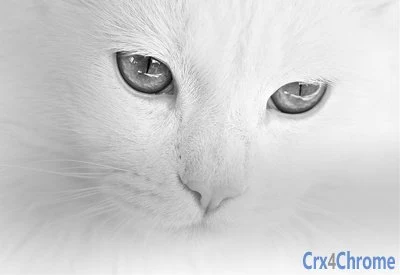
Description
Cat Lover’s Dream Desktop Theme
Overview
This desktop theme is designed for individuals who cherish feline companions and wish to bring their love for cats into their digital workspace. Tailored for cat lovers, it transforms the appearance of the desktop environment with a cohesive visual design centered around cats. The theme features a curated wallpaper and consistent interface elements that align with the theme’s aesthetic, creating a visually immersive experience.
It serves as a simple yet effective way to personalize the desktop environment, allowing users to express their passion in a subtle yet impactful manner. The target audience includes casual users, students, and professionals who appreciate unique, theme-based customization. While the developer, Andy Warr, is credited for the theme’s creation, no additional information about the developer’s background or other projects is available.
Real-world usage scenarios include personal computers used at home or in creative workspaces where a cheerful, cat-inspired interface enhances mood and user satisfaction. The theme is not intended for productivity enhancement beyond visual appeal but offers a delightful way to maintain a consistent aesthetic across the desktop.
Key Features & Capabilities
- Cat-Centered Visual Design – The theme features a high-quality wallpaper showcasing a cat photographed by Maryam Tohidi, ensuring a vibrant and engaging desktop backdrop.
- Consistent Interface Styling – Interface elements such as window borders, icons, and taskbar visuals are adapted to match the theme’s cat motif, providing a unified look.
- Easy Installation – Designed for simplicity, the theme can be applied with minimal steps, making it accessible to users with no technical expertise.
- Platform Compatibility – Supports both Windows and Mac operating systems, enabling broad accessibility across common desktop environments.
- Lightweight File Size – At 1.2 MB, the theme requires minimal storage space and does not impact system performance.
Users can apply the theme to create a more personalized computing experience, ideal for those who enjoy expressing their interests through digital customization. The theme is particularly effective in home offices or personal workstations where a visually engaging interface contributes to a more enjoyable daily routine.
User Interface, Workflow & Performance
The user interface of this theme is focused on visual presentation rather than functional interaction. It does not include interactive components or embedded tools. Instead, it enhances the existing desktop environment by modifying visual elements such as the wallpaper and system UI colors.
Navigating the theme setup is straightforward, with a minimal workflow that involves downloading and applying the theme file. The process is consistent across supported platforms, ensuring a predictable experience for users. The theme does not introduce new menus, buttons, or controls.
Performance observations are based on general software behavior patterns. The developer did not specify resource usage details. Given the theme’s lightweight nature, it is expected to have negligible impact on CPU or RAM usage. Stability is not affected by the theme itself, as it does not modify core system functions.
Compatibility & System Requirements
The theme is compatible with both Windows and Mac operating systems, as stated in the product details. Specific version numbers for these operating systems were not provided, so users should ensure their system meets the general requirements for applying desktop themes.
The installation size is 1.2 MB, which is small and suitable for most storage configurations. No hardware requirements were specified beyond the operating system support. The developer did not provide additional system requirements.
Users should verify that their system allows theme customization. On Windows, this typically requires the use of the personalization settings. On Mac, the feature is available through the Desktop & Screen Saver preferences. Compatibility may vary depending on system updates or third-party software interference.
Pros and Cons
Pros
- Visually appealing design centered around cats
- Simple and quick installation process
- Available at no cost
- Small file size (1.2 MB)
- Works on both Windows and Mac platforms
Cons
- No interactive or functional features beyond visual changes
- No detailed system requirements provided
- Does not include additional customization options
- Theme content is limited to a single wallpaper and basic UI styling
- Updates or version changes not tracked
FAQ Section
Is this theme compatible with my Windows or Mac system?
The theme is designed for both Windows and Mac operating systems. Specific version compatibility was not provided, so users should confirm that their system supports desktop theme customization.
Is the theme safe to download and install?
Yes, the theme is free and does not include executable files or scripts. It is intended for visual customization only and poses no known security risks when downloaded from trusted sources.
How do I install the theme on my computer?
Installation involves downloading the theme file and applying it through the system’s desktop customization settings. On Windows, this can be done via Personalization settings. On Mac, use the Desktop & Screen Saver preferences.
Can I use this theme offline?
Yes, once installed, the theme functions entirely offline. No internet connection is required to view or use the theme.
Does the theme require a license or subscription?
No, the theme is provided free of charge and does not require any license or subscription for use.
Final Thoughts
This cat-themed desktop experience offers a delightful way to personalize your digital workspace with a charming, feline-inspired aesthetic. While it does not provide functional tools or productivity enhancements, its visual appeal and ease of use make it ideal for cat enthusiasts seeking a simple yet meaningful customization. The lightweight design and cross-platform support ensure broad accessibility.
For users who value personal expression and enjoy a touch of whimsy in their computing environment, this theme delivers a satisfying experience. It’s a perfect choice for those who want to showcase their love for cats without complicating their system.
Download Cat Lover’s Dream Theme now.
Guides & Tutorials for Teo the Cat Theme for Chrome
How to install Teo the Cat Theme for Chrome
- Click the Preview / Download button above.
- Once redirected, accept the terms and click Install.
- Wait for the Teo the Cat Theme for Chrome download to finish on your device.
How to use Teo the Cat Theme for Chrome
This software is primarily used for its core features described above. Open the app after installation to explore its capabilities.
User Reviews for Teo the Cat Theme for Chrome 0
No reviews found





